How to Build a Gaming PC on a Budget: A Beginner's Guide to Maximum Performance for Less
Building your own gaming PC is one of the most rewarding things you can do as a gamer. You get exactly the machine you want, you learn how it works, and you almost always get more performance per dollar than buying a pre-built. The catch? Walking into it without a plan can turn a $600 budget into a frustrating mess of incompatible parts. This guide cuts through the noise and gives you a clear path from zero to gaming-ready.
Set Your Budget Before You Buy a Single Part
Before touching a component list, decide on a firm spending range — and stick to it. The most common budget tier for first-time builders sits between $400 and $700, and that range matters because it defines which performance class you're targeting.
At $400–$500, you're building a machine capable of running most popular games at 1080p with medium settings and playable frame rates. Push the budget to $600–$700 and you unlock high settings at 1080p, with some titles hitting a smooth 60+ FPS at 1440p.
One thing many beginners forget: the budget for the PC itself doesn't include peripherals. A monitor, keyboard, mouse, and headset can easily add $100–$200. Factor those in early so you're not surprised at checkout.
Also consider whether you already own a Windows license. If not, that's another $100–$140 unless you go with a free alternative like Linux (more on that in the FAQ). Set a realistic number, write it down, and treat it as a hard ceiling.
Which Components Matter Most for Gaming (And Where to Cut Costs)
The GPU (graphics card) is the single most important component for gaming performance. Everything else supports it. This is the GPU-first rule, and it should guide every budget decision you make.
Here's how to think about priority:
- Spend most here: GPU, then CPU
- Spend adequately: PSU, RAM
- Spend minimally: Motherboard, case, storage (with conditions)
Where can you safely cut costs? A mid-range motherboard does the same job as a premium one for most gamers. A basic PC case with decent airflow works just as well as an expensive showpiece. And an HDD is still a viable secondary storage option if you're tight on cash.
Where should you resist the urge to go cheap? The graphics card and power supply unit. A weak GPU tanks your frame rate directly. A cheap PSU can damage every other component you've carefully selected. These two deserve the lion's share of your budget.
Choosing a Budget-Friendly GPU and CPU Combo
Pairing the right GPU and CPU is about balance — you want neither component to bottleneck the other. A powerful graphics card paired with a weak processor will leave performance on the table, and vice versa.
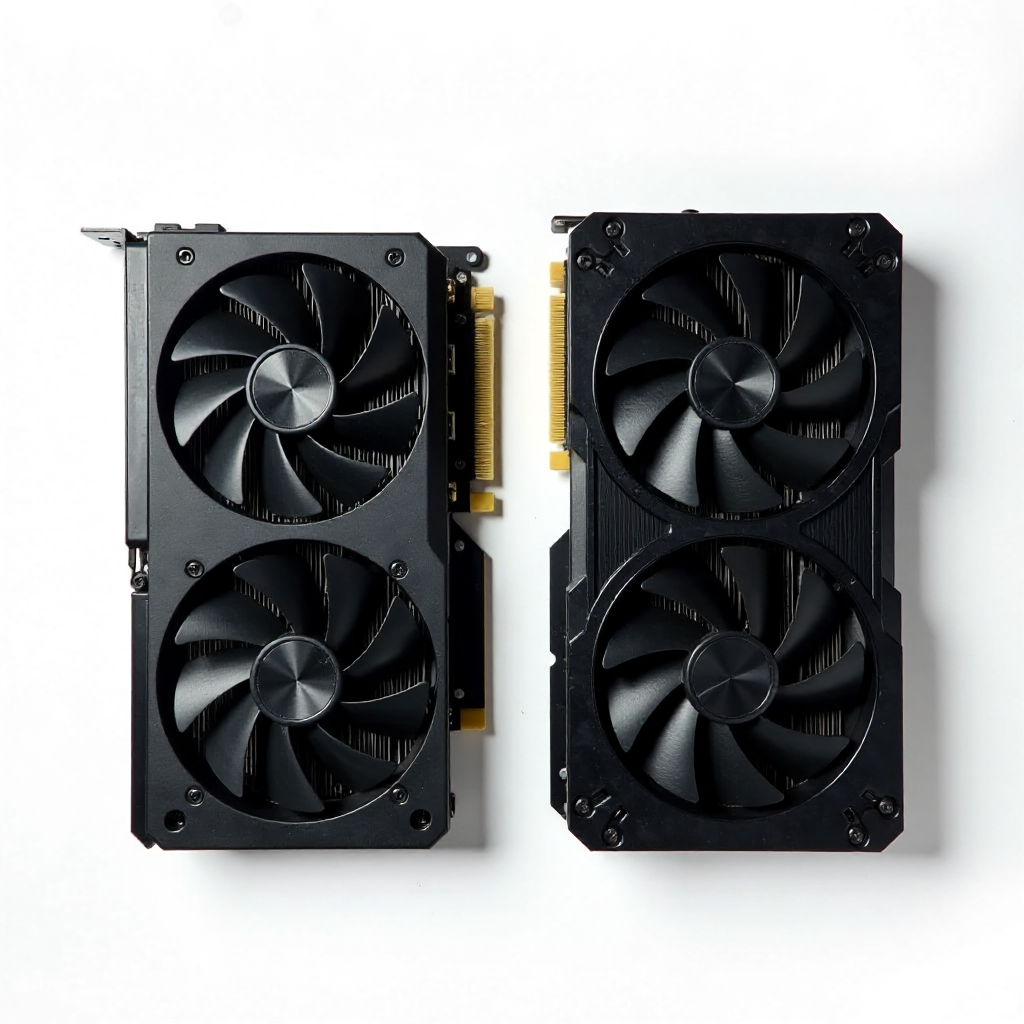
For the $400–$700 budget tier in 2026, look for mid-range discrete graphics cards from AMD's RX 7000 series or NVIDIA's RTX 4060-class options. These cards handle 1080p gaming comfortably and offer hardware ray tracing support, which used to be an enthusiast-only feature.
On the processor side, AMD Ryzen 5 and Intel Core i5 chips in current generations offer strong gaming performance at accessible prices. Either brand works well — the more important question is socket compatibility with your chosen motherboard.
A practical pairing approach: allocate roughly 40–50% of your total component budget to the GPU, and 15–20% to the CPU. If a GPU upgrade means dropping to a slightly older CPU generation, that's usually the right trade-off for gaming specifically. Games are far more GPU-bound than CPU-bound in most scenarios.
RAM, Storage, and Motherboard: Smart Picks Without Overspending
For budget gaming in 2026, 16GB of DDR5 RAM is the practical minimum, and 32GB is worth considering if your budget allows. DDR4 is still functional on older platforms, but most new motherboard generations have moved to DDR5, so check compatibility before buying.
RAM speed matters less than people think for gaming. Don't pay a premium for the fastest kit available — a mid-range speed tier from a reputable brand is plenty.
For storage, the question is SSD vs. HDD. An SSD (solid-state drive) dramatically reduces game load times and improves overall system responsiveness. A 500GB to 1TB NVMe SSD as your primary drive is the right call. If you need more space for a large game library, add a secondary HDD — they're cheap per gigabyte and perfectly fine for storing games you're not actively playing.
The motherboard is where many beginners overspend. For a budget build, a B-series board (B650 for AMD, B760 for Intel) gives you everything you need: sufficient PCIe lanes, adequate VRM quality for non-overclocked builds, and USB connectivity. Avoid the temptation of high-end X or Z series boards unless you have a specific reason.
Power Supply and Case: Don't Skimp on These
The PSU is the component that can silently destroy your entire build if you choose poorly. A cheap, unbranded power supply unit with no efficiency rating is a genuine risk — not just a performance issue, but a hardware safety one.
Stick to PSUs with an 80 Plus Bronze certification or higher from established brands. For a mid-range GPU and CPU combo, a 650W unit is typically sufficient, with 750W giving you headroom for future upgrades. Use a PCPartPicker power calculator to estimate your build's actual wattage needs before buying.
The PC case affects airflow, and airflow affects temperatures, and temperatures affect performance and longevity. You don't need a $150 case. A $50–$70 mid-tower with at least two intake fans and one exhaust fan will keep your components cool. Look for cases with mesh front panels — they move significantly more air than solid-panel designs.
Choosing a case with good airflow means your GPU and CPU run cooler under load, which translates to more consistent frame rates during long gaming sessions. It's a quiet investment that pays off every time you play.
Assembling Your Build: What to Know Before You Start
Assembly is less intimidating than it looks. Most first-time builders complete their first PC in 3–5 hours, and modern components are designed to go together in only one correct way — physical connectors prevent most critical mistakes.
Before you start, confirm three compatibility checks:
- CPU socket type: The processor must match the motherboard socket (e.g., AM5 for current AMD Ryzen, LGA1851 for current Intel Core)
- Form factor: Your motherboard size (ATX, Micro-ATX) must fit your chosen case
- PSU wattage: Confirm your power supply covers your total system draw with at least 20% headroom
Use PCPartPicker's compatibility checker — it flags conflicts before you spend a dollar. Ground yourself before handling components (an anti-static wrist strap costs almost nothing), and work on a clean, flat surface. YouTube build guides for your specific motherboard model are genuinely useful; most major board manufacturers have official assembly videos.
Don't rush the cable management. Tucking cables behind the motherboard tray takes an extra 30 minutes but improves airflow and makes future upgrades much easier.
What Games Can You Actually Run on a Budget Build?
A well-assembled $500–$650 gaming PC can run the majority of popular modern titles at playable settings. Here's a realistic picture by genre:
- Competitive shooters (Valorant, CS2, Apex Legends): High to ultra settings at 1080p, often exceeding 100 FPS — these games are designed to run on a wide range of hardware
- Open-world RPGs (like Elden Ring or Cyberpunk 2077): Medium settings at 1080p targeting 60 FPS is achievable, though graphically demanding titles will require some settings adjustments
- Battle royale games (Fortnite, PUBG): Medium-high settings at 1080p with stable frame rates
- Indie and AA titles: Nearly everything runs well at high or ultra settings
The honest trade-off: you won't be maxing out settings in the most demanding AAA games at launch. But "max settings" is a moving target, and the gap between high and ultra is often invisible during actual gameplay. Budget builds are genuinely capable gaming machines — not compromised ones.
As your library grows and newer titles push harder, a budget build is also upgradeable. Swap the GPU in two years, add more RAM, and your foundation keeps working. That's the real long-term value of building your own PC.
Frequently Asked Questions
Can you build a gaming PC for under $500?
Yes, though it requires careful prioritization. At sub-$500, focus on finding a previous-generation mid-range GPU at a discount, pair it with a budget Ryzen 5 or Core i5, and accept 16GB of RAM and a 500GB SSD as your baseline. You'll game at 1080p medium settings comfortably in most titles.
Is it better to buy a pre-built or build your own on a budget?
DIY almost always wins on value at the $400–$700 range. Pre-built PCs in this tier often use lower-quality PSUs and cut corners on components that aren't visible in the spec sheet. Building your own also means you know exactly what's inside — which matters when something needs replacing.
Do I need Windows, and how does that affect my budget?
Windows 11 adds roughly $100–$140 to your budget if purchased new. Some builders use Linux with Proton (via Steam) to run a large percentage of the PC gaming library for free. It's a viable option, but compatibility isn't universal — check ProtonDB for your specific game library before committing.
How much RAM do I need for budget gaming in 2026?
16GB is the functional minimum for modern gaming. Many newer titles recommend 16GB as their baseline, and some are beginning to benefit from 32GB. If your budget allows, 32GB future-proofs your build without a huge cost increase on current DDR5 platforms.
Can I upgrade a budget build later?
Absolutely — and this is one of the strongest arguments for building your own PC. Choose a motherboard with room to grow (a B-series board with PCIe 5.0 support, for example), and your GPU, RAM, and storage are all swappable over time. Start with what your budget allows today and improve it incrementally.